9 New Features for Smoother Stakeholder Management
Businesses around the world rely on Simply Stakeholders to help manage their stakeholder relationships. Using our tools and features, project managers, consultants, advisors, and the C-suite:
- Automate workflows
- Produce reports with impact
- Access and evaluate real-time insights.
There’s no time for thumb-twiddling when maintaining a stakeholder relationship platform that so many teams rely on. (And, dare we say it, even enjoy using.) But we wouldn’t have it any other way.
Working in three-week sprints, our product team creates, tests, and rolls out features and functions that strengthen our product. Sometimes it’s about making little changes that make stakeholder management smoother. And other times it’s about maintaining our high levels of security.
New Features for 2025
Focusing on the tasks at hand means we don’t always get around to writing about these core changes. Eep! That’s on us. But hey, it makes for a great round-up article.
Here are the top nine shiny new things to arrive at Simply Stakeholders this year.
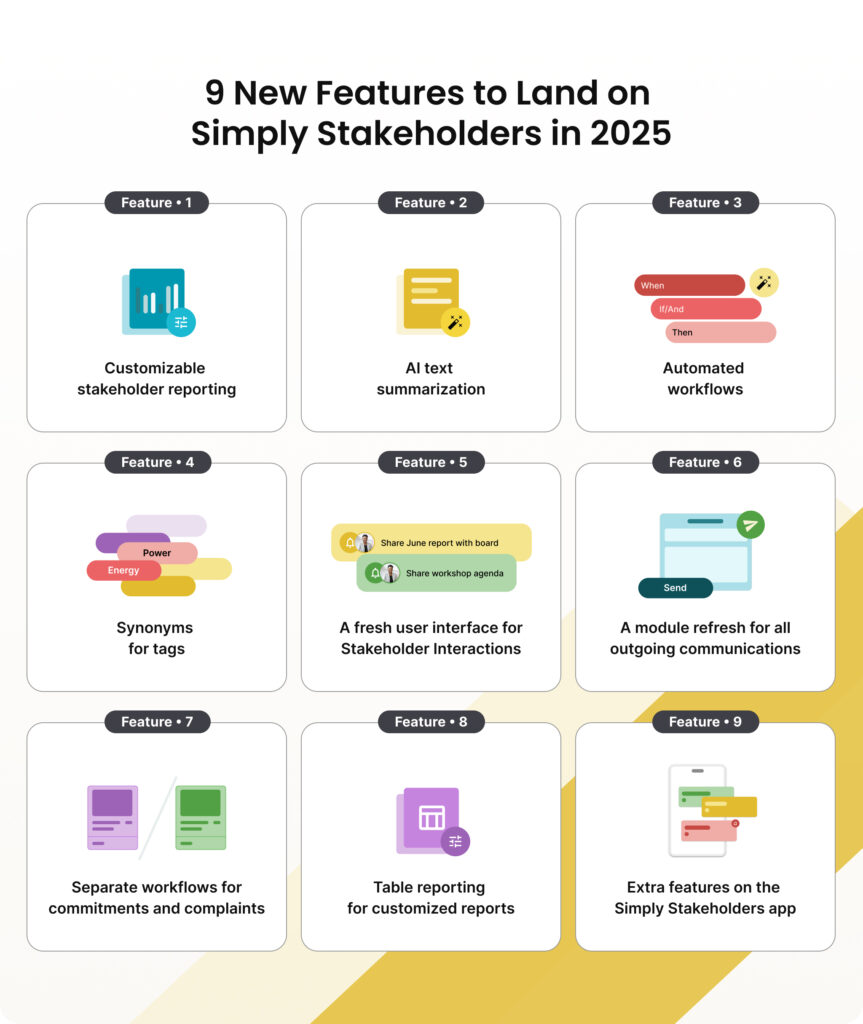
1. Customizable Stakeholder Reporting
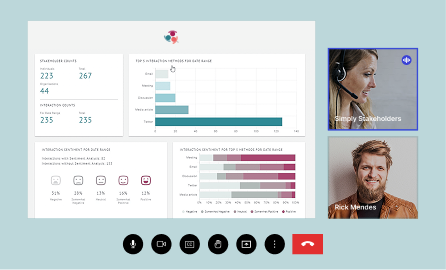
Drag and drop blocks make it quick and easy to pick out complex compliance and regulatory information needed for your reports. When used with other Simply Stakeholders features, you can populate a blank report sheet in mere minutes. For reports that you have to send regularly to stakeholders, save the document as a template.
How it helps
Reports generated within the Simply Stakeholders platform:
- Ensure accuracy: Using data you’ve already centralized
- Increase efficiency: No clicking between spreadsheets and external platforms
- Deliver relevant information only: Templates customized to your exact requirements.
2. AI Text Summarization
AI summaries deliver an overview of documents that are 80 words or more. Our customers like using this feature across the platform, but its value really shines when used with customizable stakeholder reporting. Depending on how much detail you need, you can ask the AI to produce an abstract of the entire document — or provide a short, medium, or long extract.
How it helps
Easy-to-read summaries of long content are particularly helpful for:
- Reviewing lots of data: If there’s a lengthy Interaction record attached to the project or report
- Getting things done quickly: Getting through a time-critical process or task.
3. Automated Workflows
Automated workflows set conditions around a process to trigger an action, so you don’t have to do it manually. You might use this when assigning tags, assigning stakeholders to contact groups, or sending email notifications.
How it helps
When a team is pushed for time, it’s the smaller, quicker jobs that are overlooked. But these communication and organizational tasks are still important. Automated workflows ensure condition-based tasks are:
- Done: Completed, well…automatically — even when you’re at your busiest
- Error-free: Less manual processes means fewer errors and missed opportunities.

4. Synonyms for Tags
The synonyms for tags function uses AI to identify similar-sounding tags, and groups them together.
Note: Only Administrators will have access to this function.
How it helps
Good tag management:
- Brings clarity: Making it easier to find documents relating to a single topic or report in your stakeholder management system
- Minimizes risk: Stakeholder data records are less likely to miss key information, reports, or documents.
5. Fresh User Interface for Stakeholder Interactions
Stakeholder interactions record, track, and manage stakeholders involved in a particular project. It’s a heavily used feature and needed a facelift — which we delivered in April.
How it helps
Better user experiences within our stakeholder interactions component means:
- Greater project synergy: Users can see an individual’s records, as well as a timeline of the tasks and activities that sit with them, or with the stakeholder group they’re part of — which makes sense for the stakeholder engagement workflow
- Time savings: Streamlining all of this information so it’s on a single page delivers an at-a-glance overview for time-poor team members.
6. A Module Refresh for Outgoing Communications
You can send more than just email communications through Simply Stakeholders, and so the previously named ‘group mail’ function needed a rebrand — now referred to as ‘outgoing communications’. We also gave the module a complete functionality overhaul, introducing more features to make managing your mail easier.
How it helps
The rename communicates the broader scope and benefits of this module and what it can do, including:
- Bulk outreach without leaving the platform: Minimize the likelihood of information or contact detail errors by sending bulk email or SMS to a group of stakeholders from within the platform.
- Multiple channels and formats: Email newsletters, project updates, event invites, and marketing materials can all be sent using Outgoing Communications.
- Message data reporting: See the number of opens, clicks, and unsubscribes.
- Better list management: it’s now easier to clean your list of inactive and unsubscribed stakeholders, as well as identify those missing key information, such as their email address.
- Build and save message templates: So you no longer have to create your email from scratch and can ensure uniformity across your communications.
7. Separating Complaints and Commitments Management
A commitment is a clear promise or agreement made between stakeholders. A complaint is dissatisfaction or concerns raised by an individual or group.
Commitments and complaints both rely on transparency and communication. But the steps (and emotions) involved when a commitment or complaint needs to be made, addressed, or solved are very different. Lumping these two processes together felt like starting on the back foot. So we separated them, giving each one its own section.
How it helps
Giving them their own workflows makes them easier to:
- Track: Keep track of what you’ve committed to and whether you’re meeting them, plus any grievances you’ve received and their resolution status.
- Log: Record data relevant to complaints and commitments for reporting, auditing, compliance, and performance monitoring
8. Table Reporting in the Custom Dashboard
Creating customized reports and dashboards is a key feature of Simply Stakeholders. And in July’s rollout, we added table reporting.
Pull out the relevant fields and data that you want to tabulate using the dreamy drag-and-drop function. Simply select the columns you want, rename them if needed, then add your newly created data table to the report.
How it helps
Our customers will enjoy:
- Less time spent on formatting: No column-width fiddling or extra formatting required
- More ways to display data in reports: Further customize your reports and dashboards — displaying the types of data that work best in table form.
9. More Features Within the Mobile App
The Simply Stakeholders app places a simplified version of your SRM in your pocket, so you can access it anytime, anywhere (even when you’re not connected to the internet). The app delivers core functionality while on the go. So with this in mind, we cherry-pick the available features, which in the August update meant adding contact groups and tags.
How it helps
These new features within the mobile app mean:
- Data added sooner: You no longer have to wait to get onto the desktop version to add tags and contact groups
- Improved accuracy: The sooner you can add the data, the less likely you forget something important — or lose track of your notes.

If You’re Wondering Why You’ve Not Seen These Updates
Eight of these new or improved features are available only to customers on a Plus or Pro plan.
To enjoy the new additions, as well as exciting new features arriving as part of our future rollouts:
- Existing customers should contact the Customer Success team and ask to upgrade from the Core plan
- New customers should ask for the Plus or Pro plan when joining to get all these premium features right away.